

Latest Version
Daniel García Moreno
IT Tools
Linux
Free
org.gnome.Gtranslator
Report a Problem
More About Translation Editor
An Essential Localization Tool for GNOME Developers and Translators
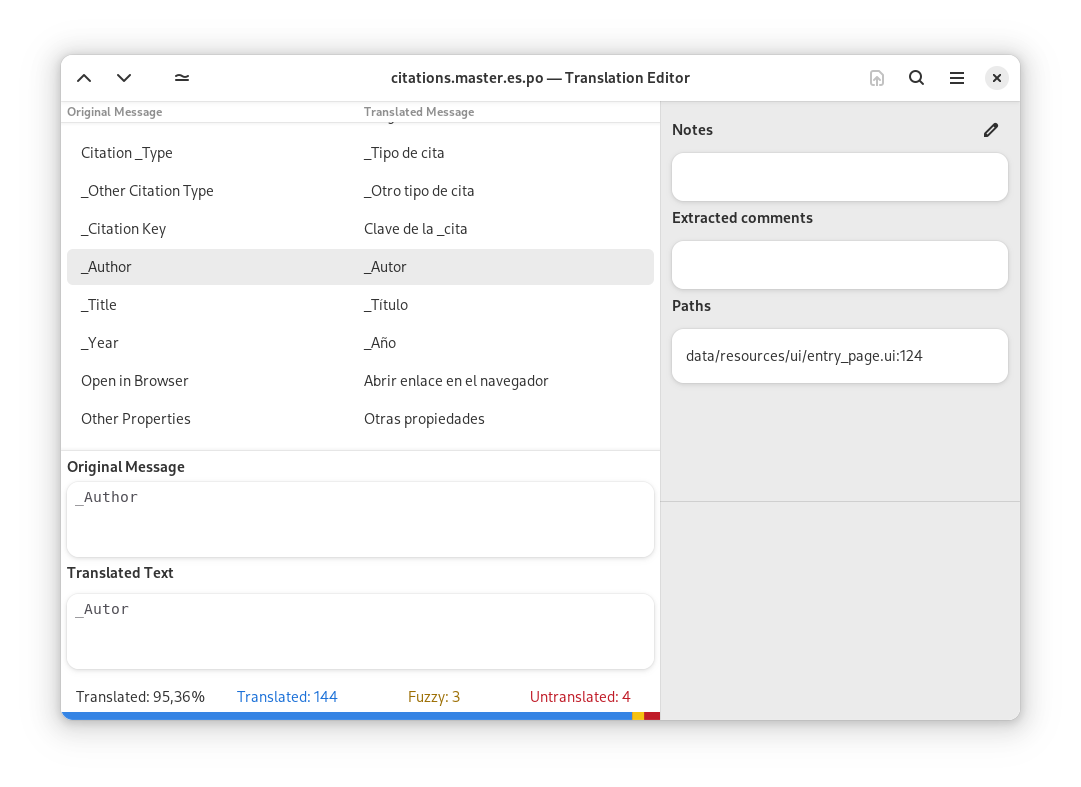
The Translation Editor localization software, widely known as Gtranslator, is a robust and highly efficient gettext PO file editor designed specifically for the GNOME desktop environment. Developed by Daniel García Moreno, this application serves as a crucial bridge for developers and localization specialists aiming to make software accessible to global audiences. By offering a streamlined workspace for editing translation files, it removes the friction often associated with localization workflows on Linux systems.
Key Features of Gtranslator
This specialized utility is packed with targeted functionalities that cater to both novice translators and seasoned localization experts:
- Translation Memory: Speeds up the localization process by suggesting previously used translations for recurring strings.
- Comprehensive Messages Table: Provides a clear, high-level overview of all translation messages and comments within the PO file, allowing for quick status assessments.
- Flexible Profiles: Supports multiple translator profiles, making it easy to manage different credentials, email addresses, and language configurations.
- Advanced Navigation: Features robust find-and-replace capabilities alongside intuitive navigation controls to jump between untranslated, fuzzy, or completed strings.
Extensible Architecture via Plugins
What elevates the Translation Editor localization software above basic text editors is its powerful plugin system. Users can easily customize their localization environment with several integrated extensions:
- Alternate Language Plugin: Allows translators to view a secondary reference language alongside the source text for better contextual accuracy.
- Subversion Integration: Simplifies version control workflows directly from the editor.
- Source Code Viewer: Lets users inspect the original source code where the translatable string resides, ensuring context-aware translations.
- Tag Insertion: Helps insert markup and format tags accurately without manual typing errors.
Who Benefits Most from Gtranslator?
If you are a Linux developer, an open-source contributor, or a professional translator working within the GNOME ecosystem, this tool is tailored for your workflow. It eliminates the need to manually parse complex PO files in generic text editors, replacing tedious manual labor with automated suggestions and structured navigation. Its lightweight footprint on Linux makes it an agile addition to any development toolkit.
Get the App
Ready to streamline your software localization process on Linux? You can find more details, explore user documentation, and access the official installation files for the Translation Editor localization software directly on its official distribution page at Flathub.
Rate the App
User Reviews

Popular Apps










Editor's Choice